AvailableProduct details
  • Desktop

Todofy

A fast, private, local-first task and calendar app for Linux, macOS, and Windows.

Todofy is a local-first task and calendar app for the desktop. Plan tasks and events, capture anything with a global quick-add bar that parses dates, priorities, and labels as you type, and stay with the work using a Pomodoro and a per-task stopwatch that keep running in the tray. Everything lives in a local SQLite database and works fully offline. Account sync and one-way Google Calendar push are both opt-in.

Status
Available
Tier
Freemium
Updated
§01Inside the product03 screenshots
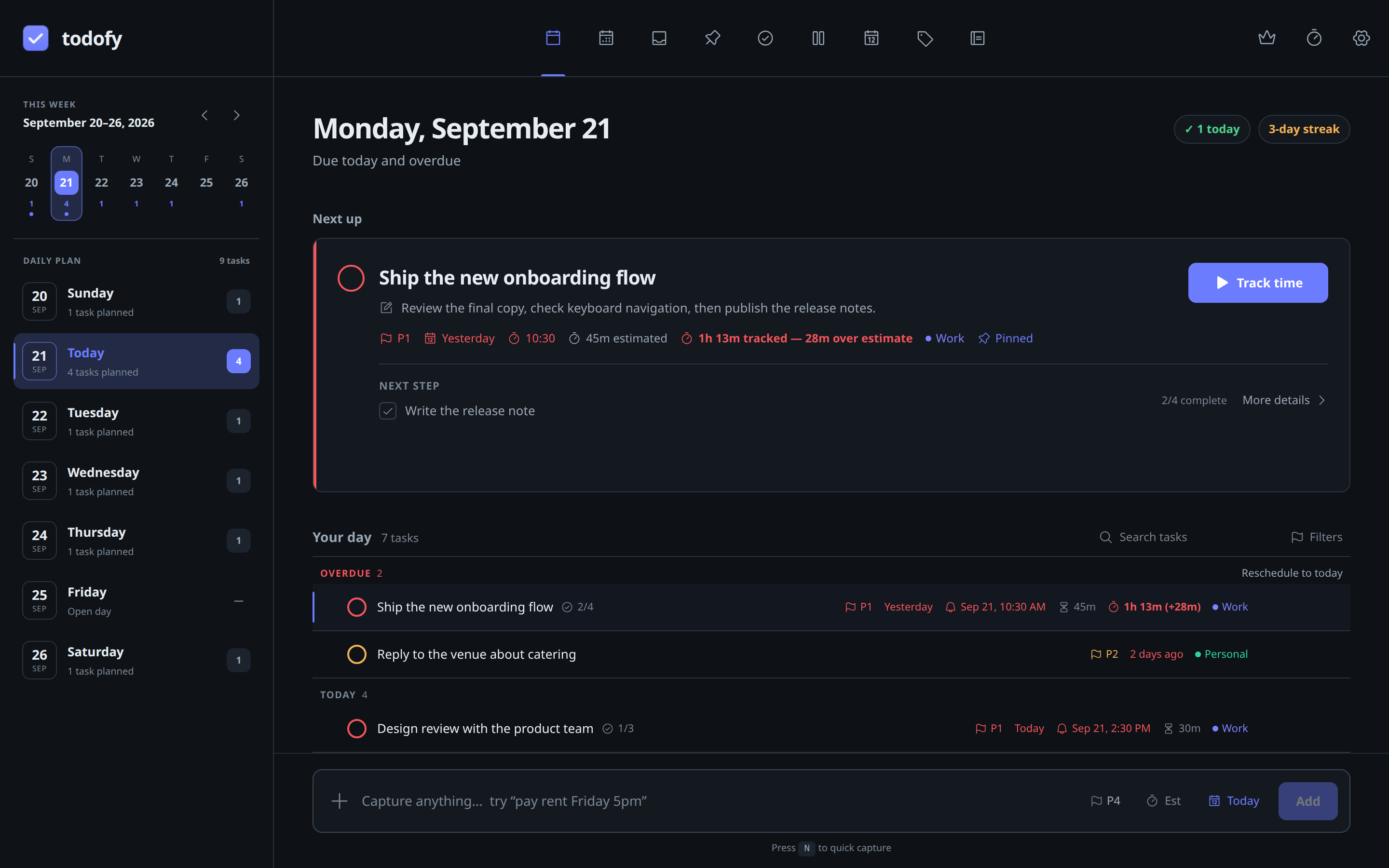
Todofy Today view with overdue rollup, labels, priorities, subtask progress and a completion streak.
01Todofy Today view with overdue rollup, labels, priorities, subtask progress and a completion streak.
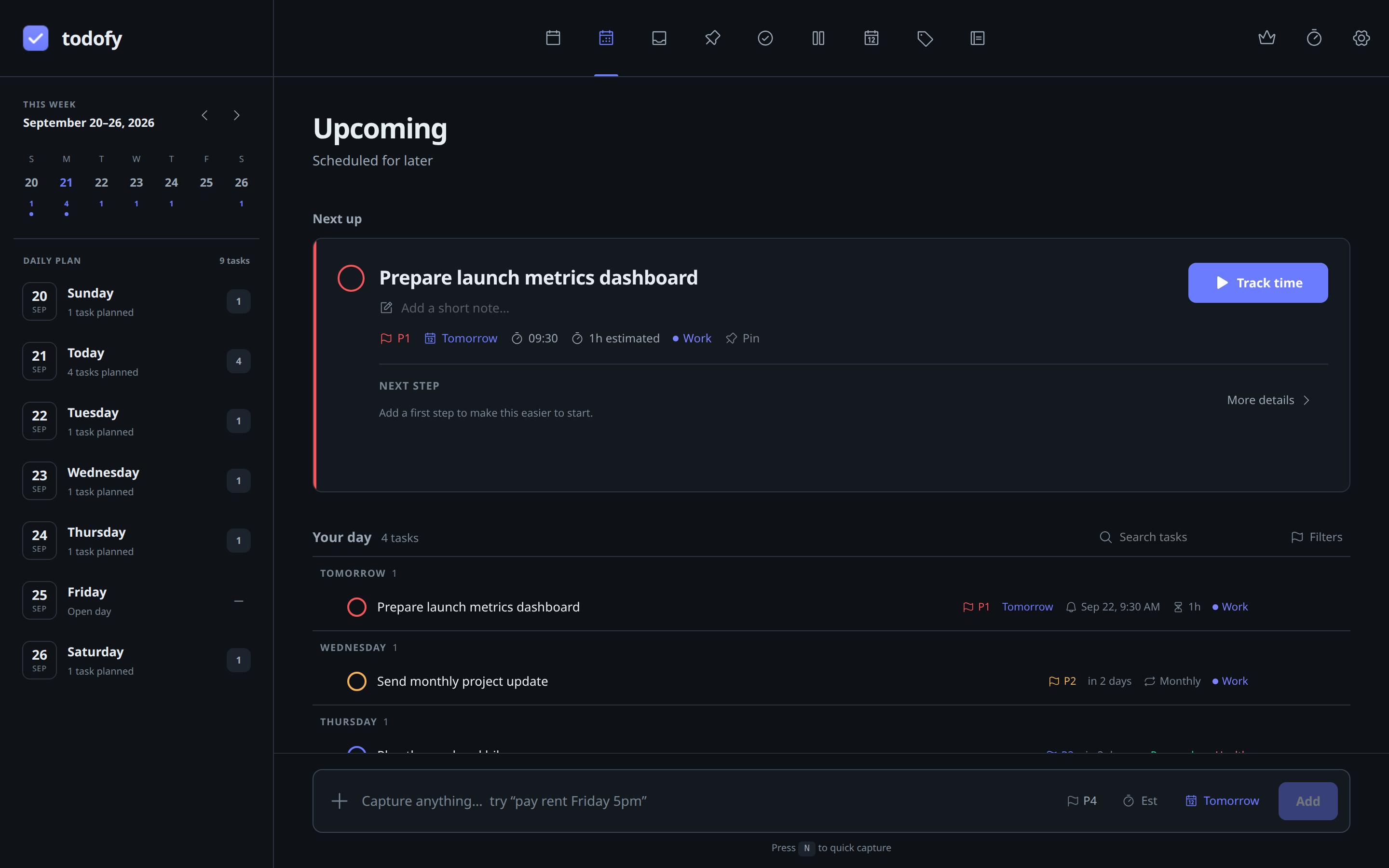
Todofy Upcoming view with relative due dates grouped by day.
02Todofy Upcoming view with relative due dates grouped by day.
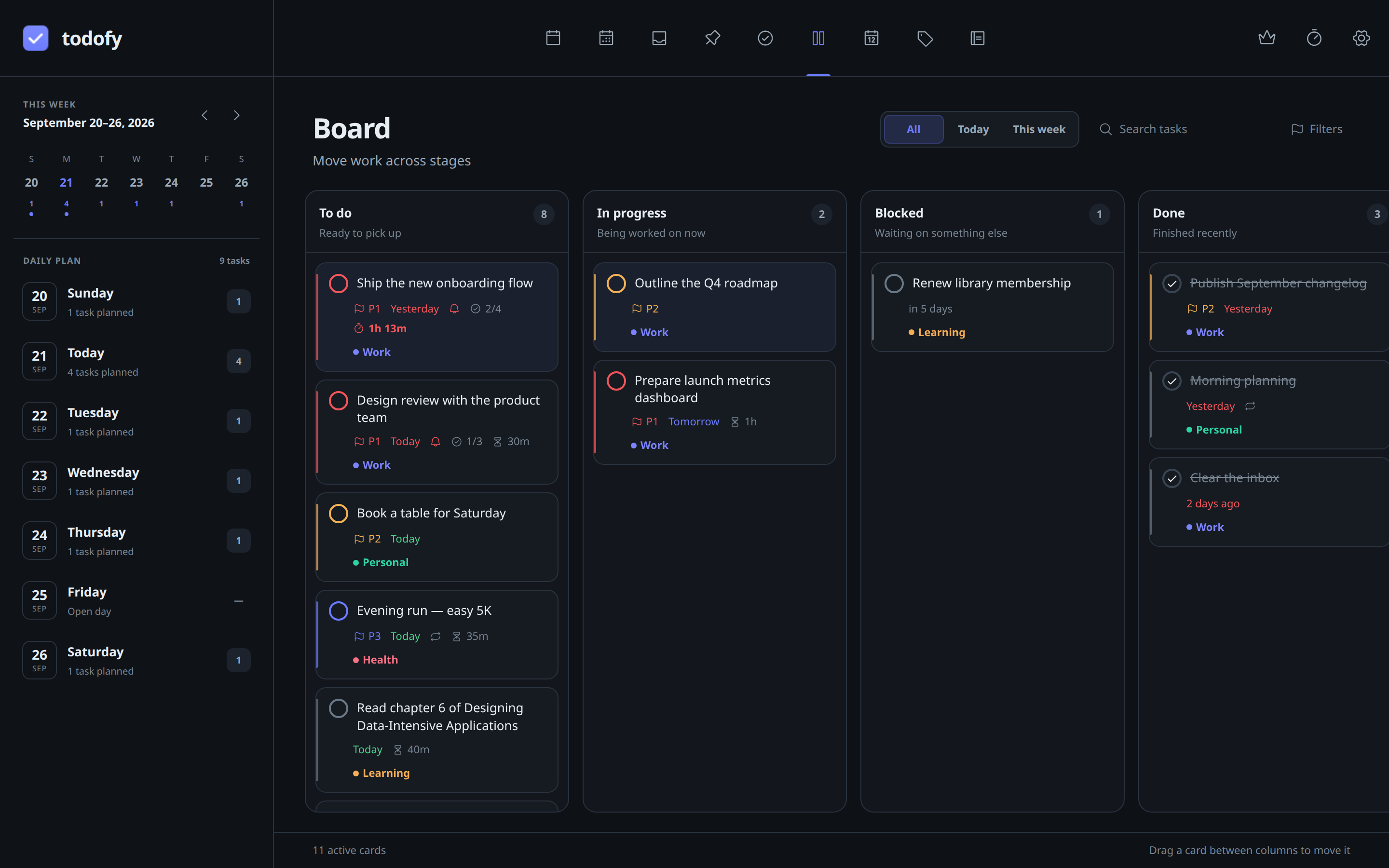
Board view
03Board view
§02Delivery targets03 configured

desktop-linux

Linux

Available
Runtime
tauri
Systems
Linux
Architecture
x64

A 64-bit build, available as an AppImage, a Debian package, or an RPM.

Download for Linuxv1.14.0 ↗

stable · web

§03Capabilities13 listed
  1. 01Smart Today, Upcoming, and Inbox views with an overdue rollup
  2. 02Global quick-add from anywhere with Ctrl+Alt+A, even from the tray
  3. 03Natural-language capture that parses date, time, priority, and label as you type
  4. 04Recurring tasks that roll forward to the next occurrence on completion
  5. 05Pomodoro and per-task stopwatch with start, pause, and stop
  6. 06Task estimates with a live overrun warning on the row and in the tray
  7. 07Journal entries in Markdown with a mood rating and day summaries
  8. 08Subtasks with a progress bar, pinning, drag-and-drop ordering, and P1-P4 priorities
  9. 09Labels with custom colours, search, and per-label filtering
  10. 10Reminders that fire from the tray with snooze, custom sound, and escalating volume
  11. 11Local calendar with month, week, and day views alongside your tasks
  12. 12Optional account sync and one-way Google Calendar push, both opt-in
  13. 13Local-first SQLite storage that works fully offline with no tracking
§04Privacy and support

Product privacy

Tasks, labels, events, focus history, and journal entries are stored in a local SQLite database on your device and work fully offline. Without an account there is no cloud and no tracking. Account sync and Google Calendar push are opt-in, and sessions are held in your operating system secret store.